Fix Your Mac's Sound in One Click
No sound, crackling, muffled AirPods, or a microphone nobody can hear? Soundshine Doctor checks what is wrong and fixes what it safely can. Free, with nothing to sign up for.
Part of the Soundshine family, alongside Soundshine Route & Soundshine Record.
The Problem
The Problem
Your Mac's sound stops working and macOS does not say why. The usual advice is a scavenger hunt: Sound settings, Bluetooth settings, Audio MIDI Setup, a restart, or a Terminal command you have to look up every time.
- No sound at all, and nothing looks wrong
- Crackles and pops when the Mac is busy
- AirPods that suddenly sound like a phone call
- A microphone that works in one app and not another
The Solution
The Solution
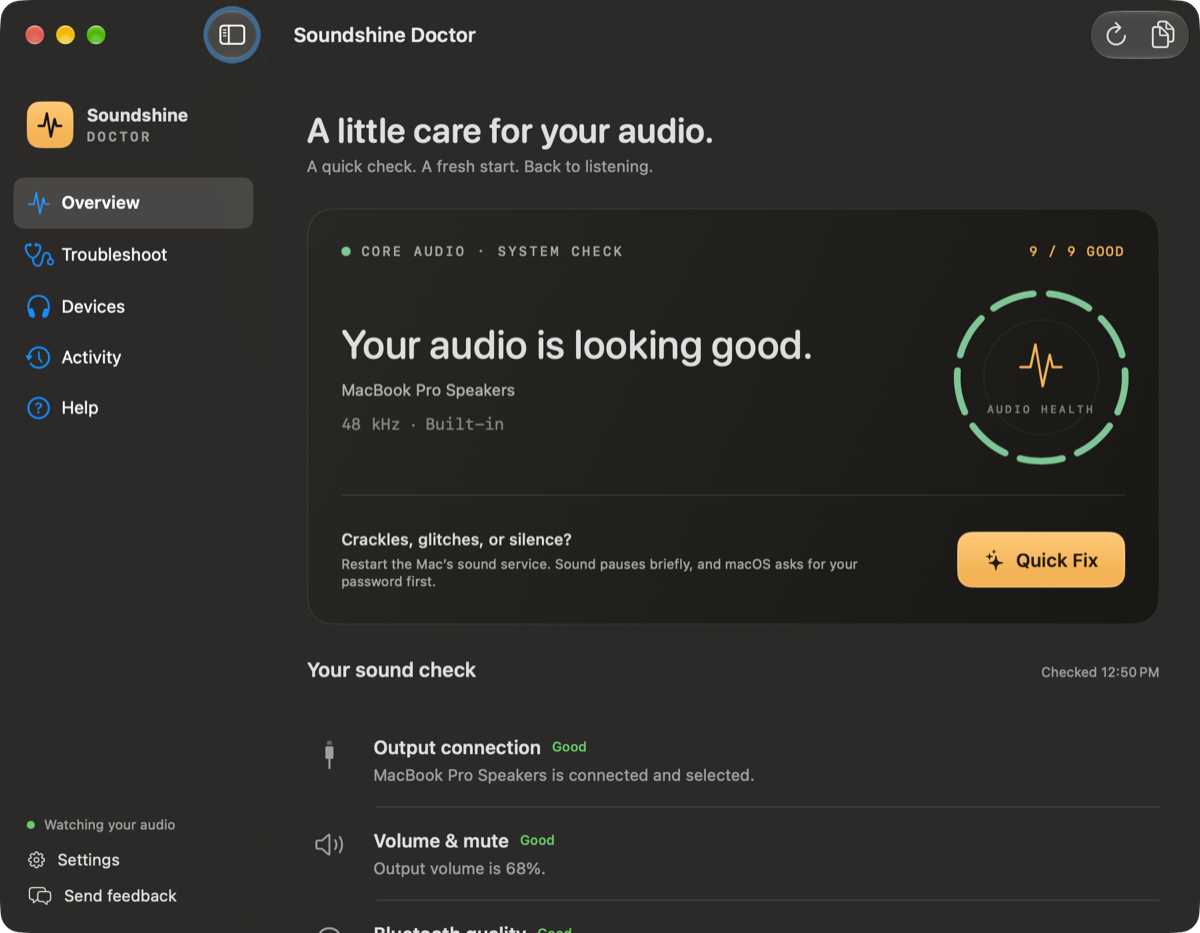
Soundshine Doctor looks at everything in one place and tells you what it found in plain words. When there is a safe fix, Quick Fix applies it. When the fix means restarting the Mac's sound service, Doctor does that for you instead of sending you to Terminal.
- One screen shows what is fine and what is not
- Quick Fix repairs what it can, then asks how it sounds
- Never interrupts a call or a recording
How It Works
How It Works
Open it, read one line, click one button.
9
Checks at a glance
1
Click to fix
$0
Free
See what is wrong
Doctor checks your output, volume, Bluetooth quality, microphone, stereo balance, alerts, and crackle reported by macOS the moment it opens.
Click Quick Fix
Choose what you are hearing, or not hearing, and Doctor applies the repair that fits. It tells you what it is about to change before it changes it.
Confirm with your ears
Doctor asks how it sounds now. If it is still wrong, it opens the next check instead of pretending the problem is solved.
Key Features
What It Fixes
The sound problems Mac owners search for most.
No Sound
Finds the usual causes: the wrong output, a muted or zeroed volume, a display or interface that controls its own volume, or a sound service that needs restarting.
Crackles and Glitches
Watches for the missed playback deadlines macOS reports when audio stutters, and restarts the Mac's sound service for you when that is what it takes.
- No Terminal, no killall coreaudiod
- Blocked while a call or recording is active
Muffled Bluetooth Headphones
AirPods and other headsets drop to call quality while their own microphone is in use. Doctor spots it and switches to the Mac's microphone so your music sounds right again.
Silent or Quiet Microphone
Shows whether your microphone is muted or turned all the way down, restores it, and runs a ten-second level test that saves no audio.
One-Sided Sound and Missing Alerts
Checks the left and right balance, plays a quiet left-then-right test tone, and shows when alerts are going to a different output from your music.
A Menu Bar Check
A menu bar icon shows the state of your sound and runs Quick Fix without opening the window.
Use Cases
Who It Is For
Anyone whose Mac just stopped sounding right.
Before a Call
Check that the right microphone and speakers are selected, and that nothing is muted, before the meeting starts.
AirPods Owners
Get full-quality sound back when your headphones get stuck sounding thin and muffled.
Working From a Dock
Get sound back after waking the Mac or reconnecting a display, dock, or audio interface.
Helping Family
A free app you can ask a relative to open, with one line that says what is wrong.
Pricing
Pricing
Soundshine Doctor is free. No trial, no account, no license key.
Free
Free$0
Every check and every fix, with free updates built in.
- All nine checks and Quick Fix
- Menu bar check and activity log
- Updates delivered in the app
Private by Design
Doctor reads your Mac's sound settings. It does not listen in.
- Nothing is recorded or uploaded
- Repairs only run when you click
- The microphone test measures level and saves no audio
Want both? Get the Soundshine Bundle.
Route and Record together for $19.99 one-time instead of $26.98, with a license key for each app.
- Price
- Free
- Checks
- Output, volume, Bluetooth, sample rate, crackle, microphone, stereo, alerts, device access
- Privacy
- No recording, no account
- Language
- English
- Min macOS
- macOS 15.0+
Free download
Get your Mac's sound back.
Soundshine Doctor is free, with nothing to sign up for.
Download FreeAlso from Soundshine
Sound working again? Do more with it.
Soundshine Doctor is made by the same team as two more Mac audio apps. Both are free to try.
Soundshine Route
Turn your system audio into a microphone input for Zoom, Meet, Discord, and any app.
$11.99 one-time
Soundshine Record
Capture system audio or specific apps, plus your mic, in a single file.
$14.99 one-time