
Record Any Sound on Your Mac
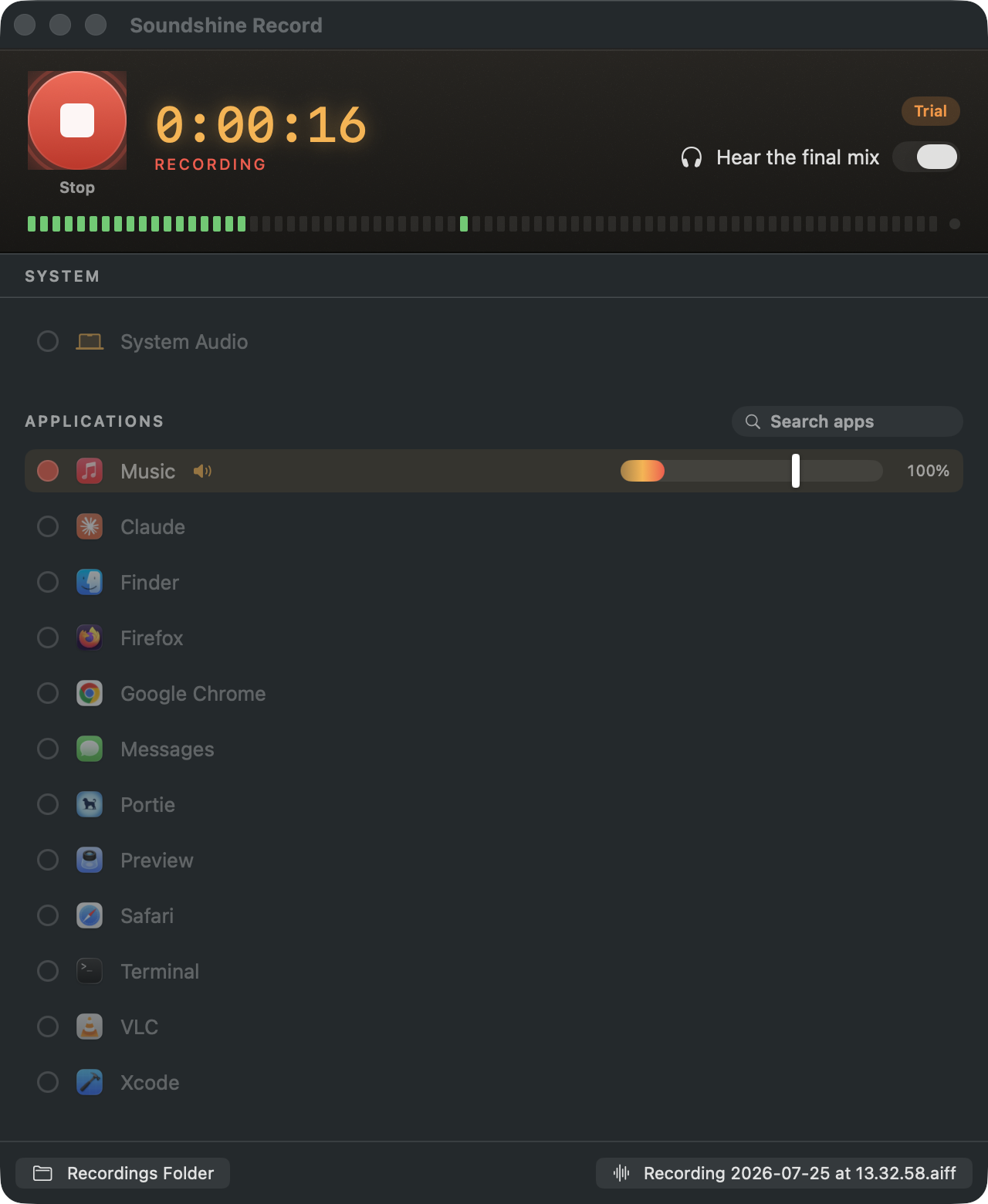
Soundshine Record captures system audio or individual apps, plus any microphones, mixed into a single file with per-source volume and live monitoring. No virtual driver, no aggregate devices, no Terminal.
Part of the Soundshine family, alongside Soundshine Route. Route sends audio into other apps. Record saves audio to a file.
How It Works
How It Works
Pick sources, hit record, done.
0
Drivers to install
3
Source types
48 kHz
Stereo capture
Pick your sources
Record all system audio, or pick out specific apps. Either way you can add microphones alongside.
Set your levels
Each source gets its own volume slider and live level meter, adjustable while recording.
Record
Hit record. Hear the full mix through your speakers as it captures, then find your file in ~/Music/SoundshineRecord.
Key Features
Key Features
Record Any Source
All system audio, or individual applications via Core Audio process taps, plus any microphones, mixed into one file.
Per-Source Volume & Meters
Every selected source has its own volume slider and live level meter. Balance the mix live, while the recording runs.
Live Passthrough Monitoring
Hear the mix as it records. Tapped apps are silenced at your speakers and monitored through Soundshine Record instead, so what you hear is exactly what you record.
- No echo, no double audio
- Real-time level meters per source
Clean File Formats
Save as AAC (.m4a, default), WAV, or AIFF at 48 kHz stereo, straight to ~/Music/SoundshineRecord or a folder you choose.
No Driver, No Hassle
Process taps mean there's nothing to install into the system, no admin prompt, and no coreaudiod restart. Grant recording permission once and you're set.
Use Cases
Use Cases
Anywhere you need a clean capture of what's playing.
Podcasts & Interviews
Record a call plus your own mic, each at the right level, in one file.
Tutorials & Demos
Capture app audio and narration together while you record your screen elsewhere.
Music & Streaming
Grab audio from any app or browser tab without cables or re-routing.
Meetings & Lectures
Keep a clean recording of a call or a talk, mic optional.
Pricing
Pricing
Same simple model as Soundshine: try everything free, buy once to remove the watermark.
Free Trial
Every feature, free. Trial recordings include a gentle chime every 30 seconds, the only limitation. No signup, no credit card.
- Full multi-source recording and monitoring
- Try it as long as you like
One-Time Purchase
Lifetime$14.99
Buy once, use forever. No subscription. Enter a license key to remove the chime permanently.
- Lifetime license, transferable between Macs
- Free updates via Sparkle
Ready to record
Record it all in one file.
Try Soundshine Record free with every feature. Buy a license when you're ready to remove the chime.
- Capture
- System audio, apps, microphones
- Formats
- AAC (.m4a), WAV, AIFF
- Audio Quality
- 48 kHz stereo
- Method
- Core Audio process taps (no driver)
- Min macOS
- macOS 15.0+
Also from Soundshine
Need to send audio into an app instead?
Soundshine Route turns your system audio into a microphone input, so Zoom, Meet, Discord, and any other app can hear what your Mac is playing.
See Soundshine Route